

Remediations test the patch like a real engineer
When a remediation runs, Hacktron does the following:
- Verifies that the finding is real. Tests whether the reported issue is actually exploitable in this code. If the finding is wrong (e.g. the code is unreachable), Hacktron reports it as a false positive. We will never attempt to fix already sound code.
- Implements the fix. Makes the minimal correct fix that addresses the root cause of the vulnerability.
- Tests the fix. Runs the existing test suite for the repository, if any. Adds relevant regression tests & makes sure the fix correctly addresses the issue while avoiding breaking anything else.
Remediate a finding
1
Open a finding
Open the finding in the Hacktron dashboard, either in the finding detail panel or on the full finding page.
2
Select Remediate
Select Remediate. Hacktron starts a remediation run for the finding.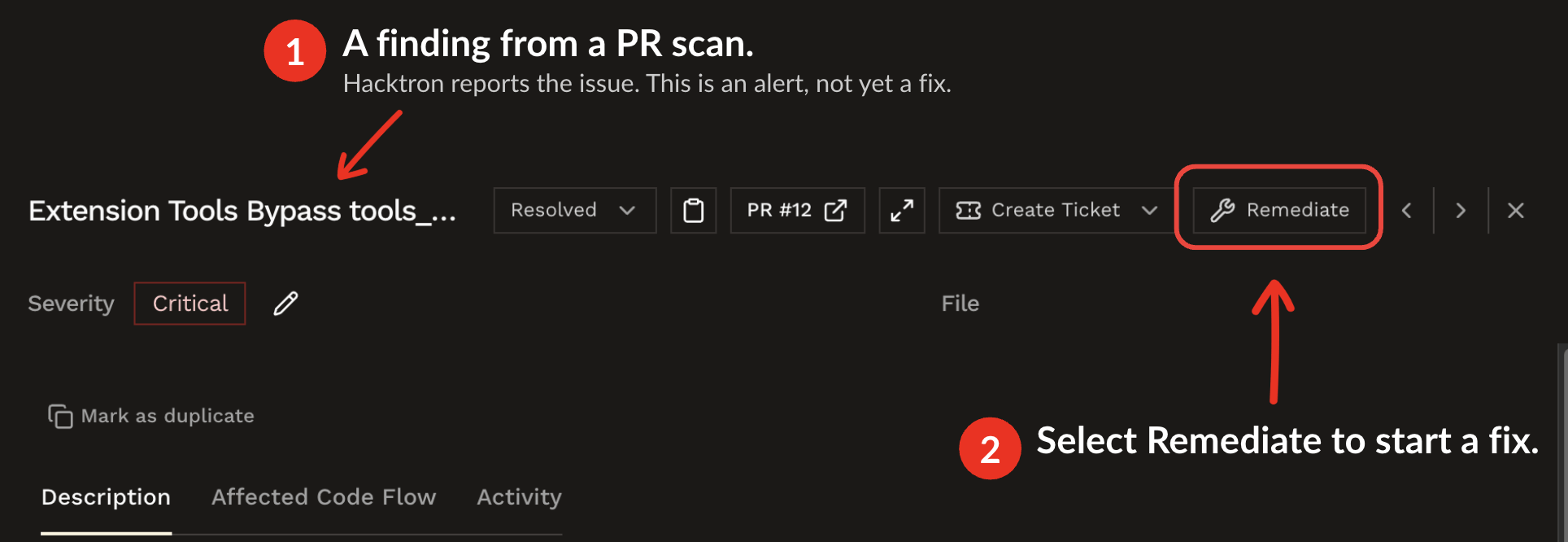
3
Review the fix
When the agent produces a fix, Hacktron commits it to a dedicated fix branch and opens a pull or merge request in the finding’s repository. Review and merge it as usual.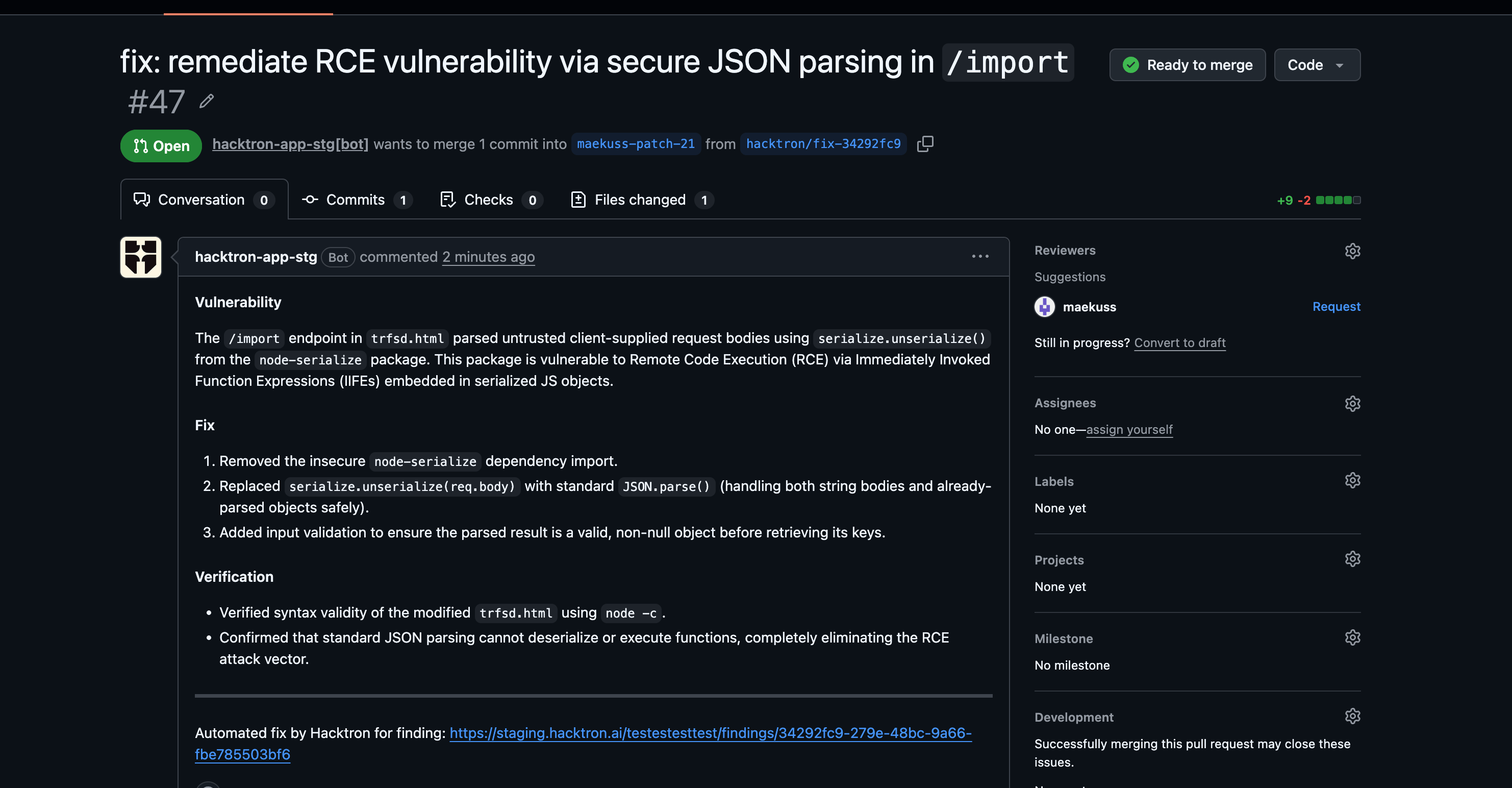
To push fix branches, Hacktron’s GitHub App needs the Contents: Read and
write permission. If your installation predates remediation, GitHub asks an
organization admin to approve the updated permission before fixes can be
pushed.
Where the fix lands
Hacktron picks the target branch for the fix automatically:- Finding from an open PR or MR: if the source pull or merge request is still open and its branch lives in the same repository, the fix is opened against that PR’s branch, so the fix becomes part of the change that introduced the issue.
- Everything else: for merged or closed source PRs, branches from forks, and findings from whitebox scans, the fix is opened against the repository’s default branch.
Outcomes
A remediation run ends in one of four states:
Runs triggered by an automation appear in that automation’s run history, including the credits each run consumed.
Run remediation automatically
Automations
Auto-remediate qualifying findings across repositories and applications, with
Slack and email notifications.