

How credits work
1
Keep a balance
Organization owners can buy credits from Billing or turn on auto top-up to keep the balance above a threshold they set.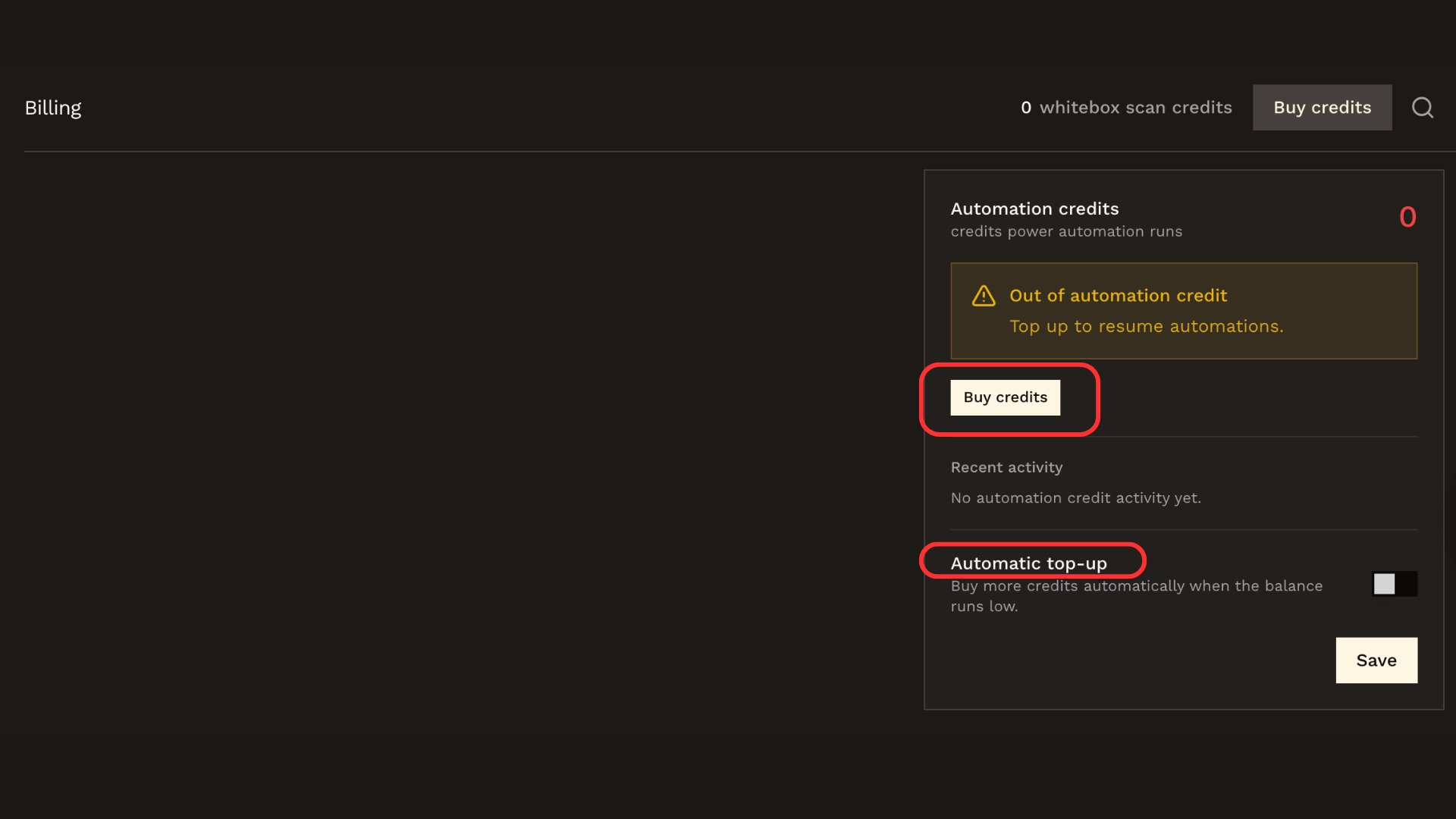
2
Checkout
Complete any required card authentication (such as 3D Secure). The purchased credits are added to the organization balance after the charge succeeds.
3
Runs check the balance
A remediation run only starts while the organization has credits. When the balance runs out, new runs don’t start and the Billing page shows that automations are paused.
4
Runs deduct on completion
Each run’s cost is deducted from the balance once, when the run completes. Costs vary with the size of the run.
Auto top-up
Auto top-up buys credits automatically when the balance drops below a threshold, so your automations keep running without manual purchases. Set it up on the Billing page under your automation credit balance:- Trigger: the balance that starts a top-up.
- Target: the balance the top-up buys back up to. Your target must be above the trigger.
- Monthly limit: an optional cap on how many credits auto top-up may buy per month.
Related docs
Remediation
Trigger an AI-generated fix for a finding.
Automations
Auto-remediate qualifying findings and notify your team.