

Create an automation
1
Create
On the Automations page, select New automation and give it a name.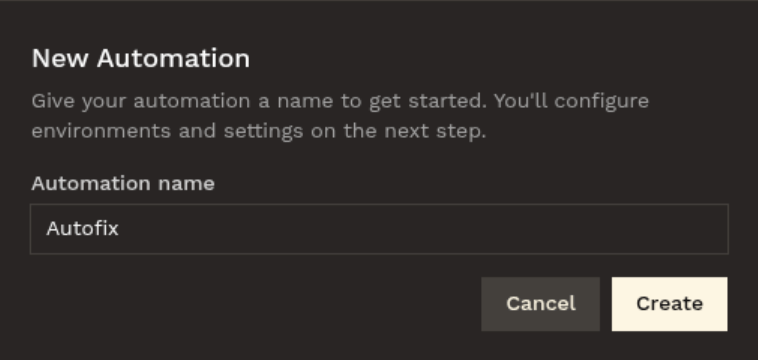
2
Pick environments
Choose the repositories and applications the automation covers. You can limit each entry to specific branches (up to two) or leave the branch selection empty to cover all branches.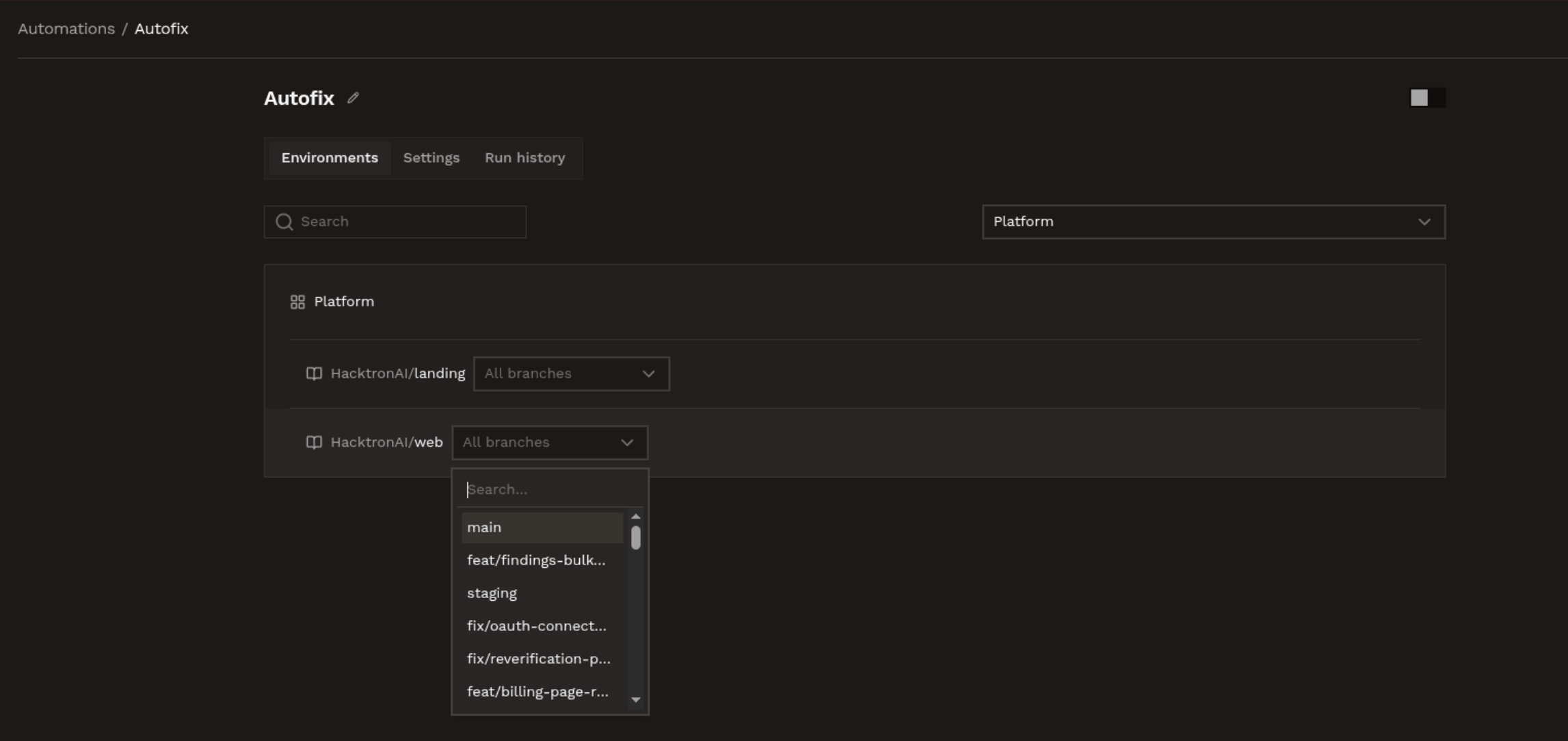
3
Configure settings
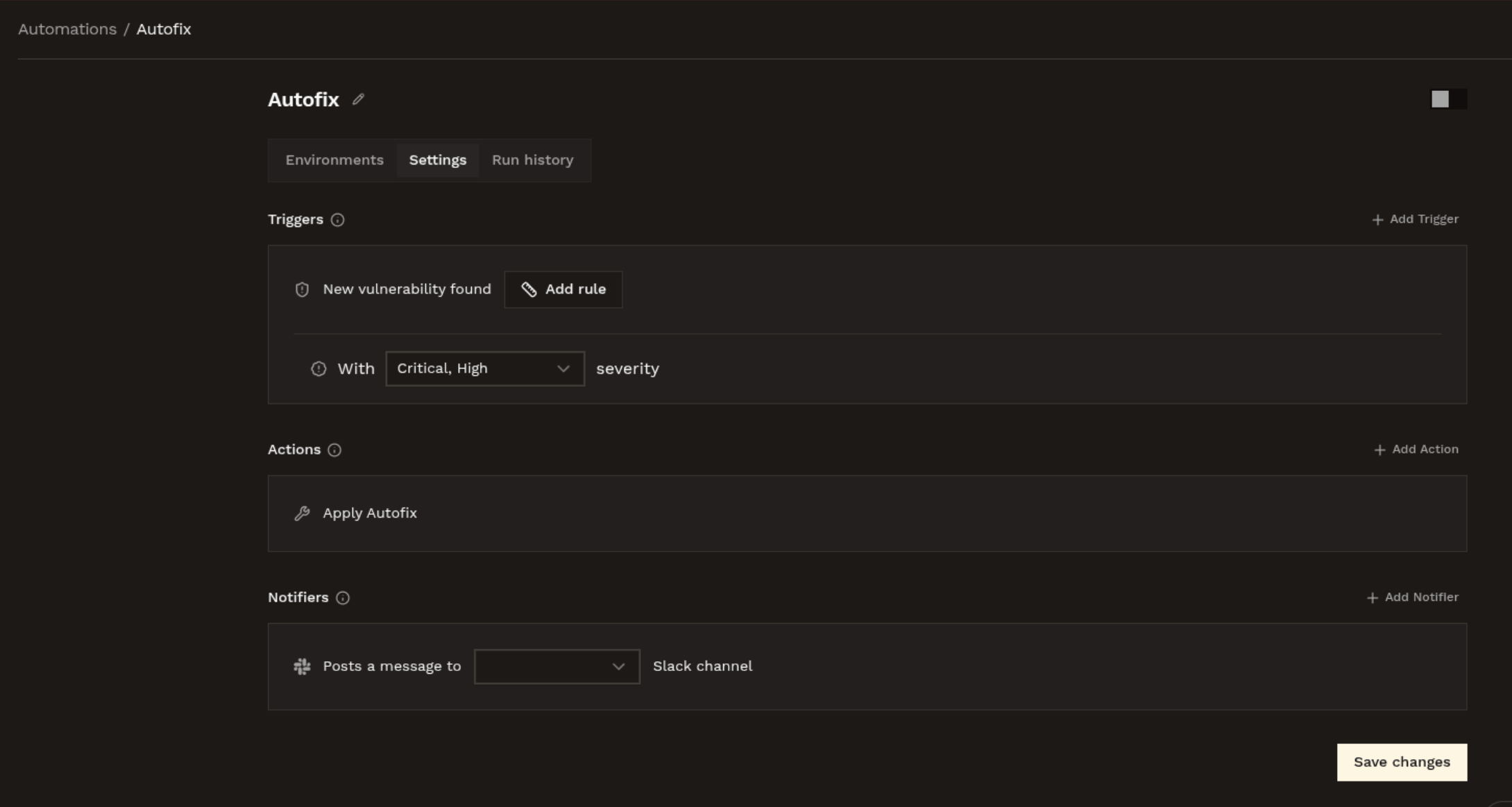
On the Settings tab, set:
- Triggers: when the automation runs, for example a PR scan finding, it’s narrowed by the rules you set, the severity levels that qualify, and scope rules that limit it to specific repositories or applications.
- Actions: what the automation does. Remediation starts a remediation run for the matching finding.
-
Notifiers: who hears about a run, whether it’s a Slack channel, email recipients from your organization’s members, or both.
4
Save
Select Save. An automation needs at least one environment, one trigger, and one action to run. Incomplete automations show an Incomplete badge and cannot be enabled. A save that removes required configuration disables the automation until it is complete again.
When an automation fires
When a new finding matches an enabled automation’s trigger, severity rules, scope rules, and environment (including any branch limits), the automation fires: a Remediation action starts a remediation run, which uses automation credits. After taking action, we send you a notification. Each finding is fixed at most once, a finding that already has a remediation run won’t fire automations again.Notifications
- Slack: Hacktron posts a message to your channel linking the finding. The Hacktron bot joins public channels automatically; for a private channel, invite the bot to the channel first.
- Email: Hacktron emails the recipients you choose from your organization’s members.
Run history
The Run history tab lists every run your automation has fired, with its status, the environment it matched, and the credits it used. Runs matched through an application are attributed to that application. Run statuses mirror remediation outcomes: Running, Success, No fix needed, False positive, and Failed. You can filter the history by status and search it.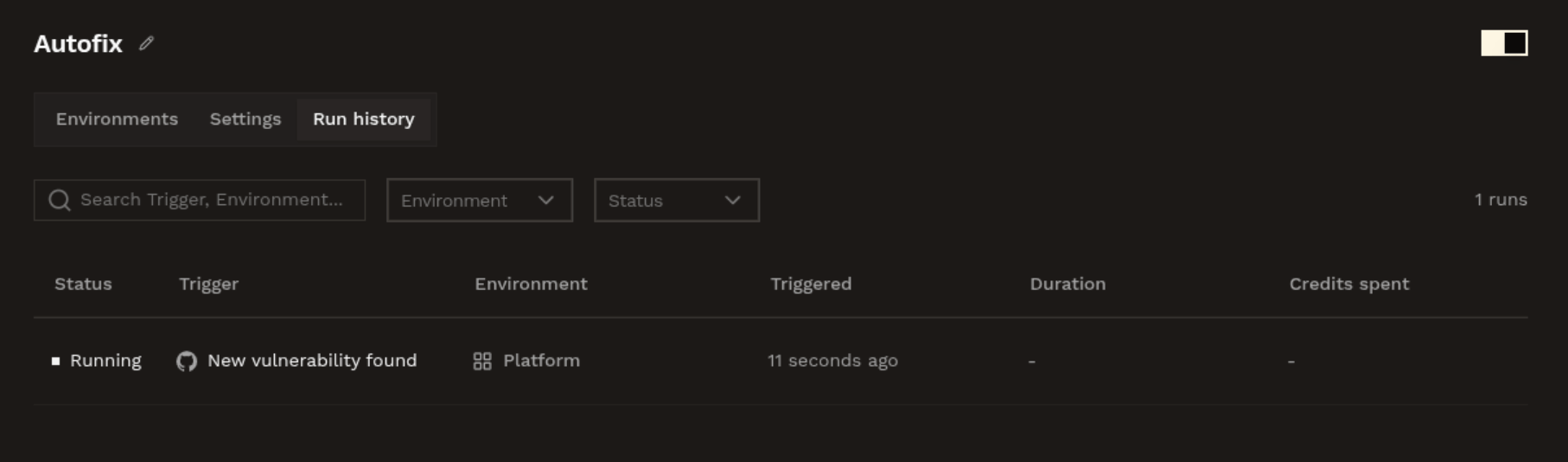
Related docs
Remediation
How a remediation run works and where the fix lands.
Automation credits
How runs are billed and how to keep a balance with auto top-up.