

Requirements
- An active free trial or paid Hacktron subscription
- A connected Git provider integration
Auto-assign seats on PR
Auto-assignment lets Hacktron assign Code Review seats as developers open pull requests. This is the default assignment mode for new organizations. When auto-assignment is enabled:- Hacktron assigns a seat when a developer opens a pull request in a covered repository
- Auto-assignment stops when the organization reaches its configured auto-assignment seat limit
This can be turned off in People > Auto-assign on PR.
Bots count as developers too. If a bot like Devin
(
devin-ai-integration[bot]) or Claude (claude[bot]) opens a pull request
while auto-assignment is on, it gets a seat and is billed like anyone else. To
keep bots out of review and billing, add their usernames to
exclude.authors or the org-wide author
filter — excluded authors are skipped before a seat is assigned. You can also
remove a bot’s seat from People at any time.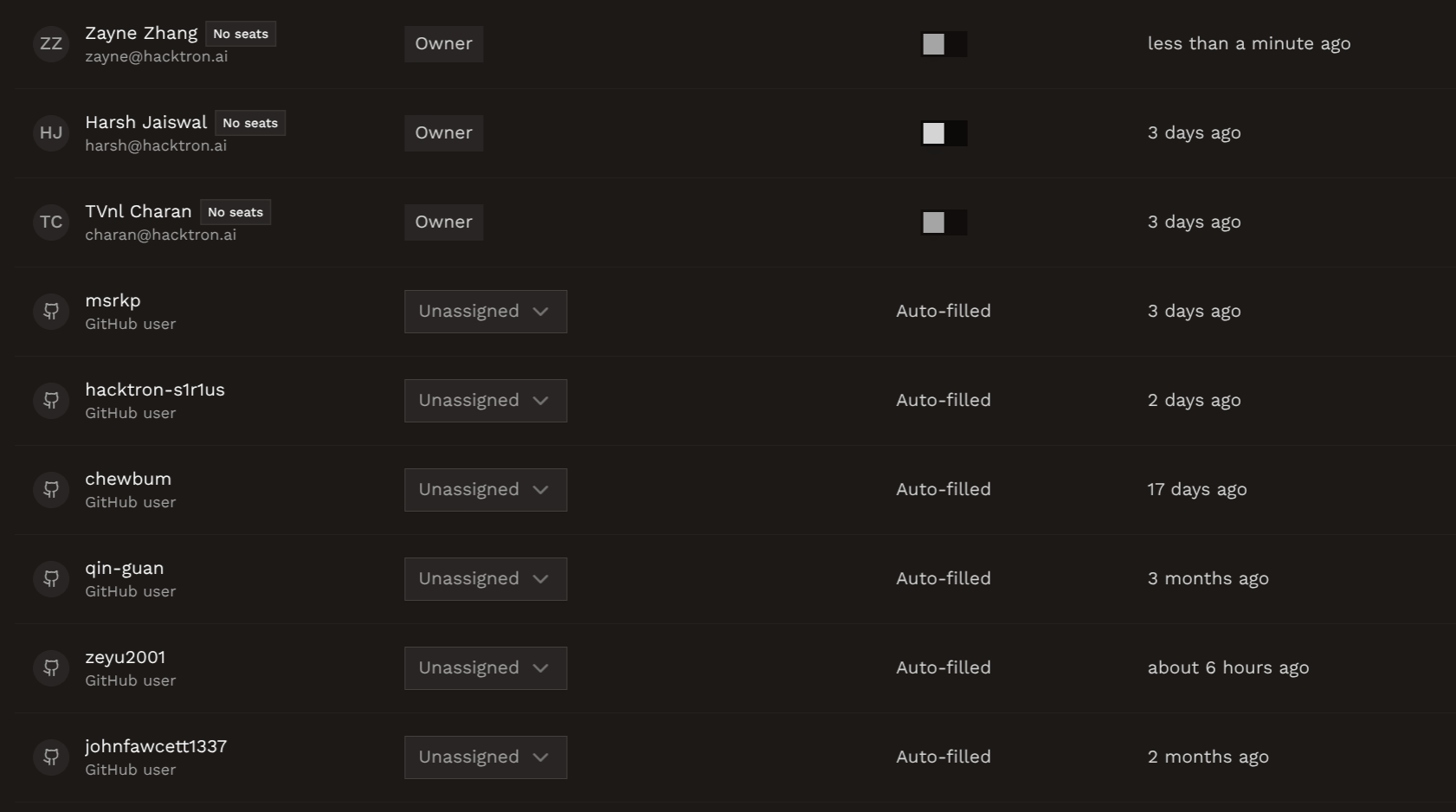
Configure the seat limit
You can set a limit on the number of Code Review seats that can be assigned automatically. By default, this limit is set to 50 seats.1
Open People
Go to People.
2
Open auto-assignment settings
Open Auto assignment settings by clicking the cog icon next to
Auto-assign on PR.
3
Save the maximum seat count
Enter the maximum number of Code Review seats that can be automatically
assigned.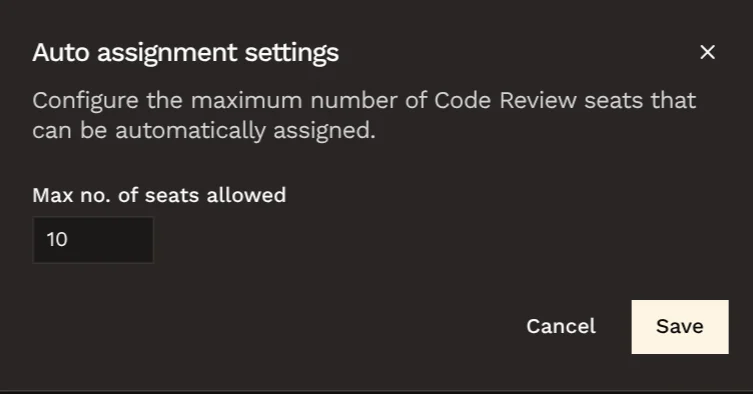
Assign seats manually
Use manual seat assignment when you want admins to choose exactly who is covered.1
Open People
Go to People in the Hacktron Platform.
2
Find the developer
Use search, role filters, or the seat-type filter to find the organization
member.
3
Assign the Code Review seat
Turn on the Code Review seat toggle for that developer.