

Prerequisites
First, make sure that your organization has an active Slack integration.Set up Slack for your organization
Connect Slack and choose the notification channel.
Manage findings from Slack
When Hacktron’s Slack app sends a finding in your configured channel, you can leave a triage comment and mark the finding as a false positive or accepted risk, or mark the finding as valid. Open the finding card and click on Mark Valid or Triage Comment.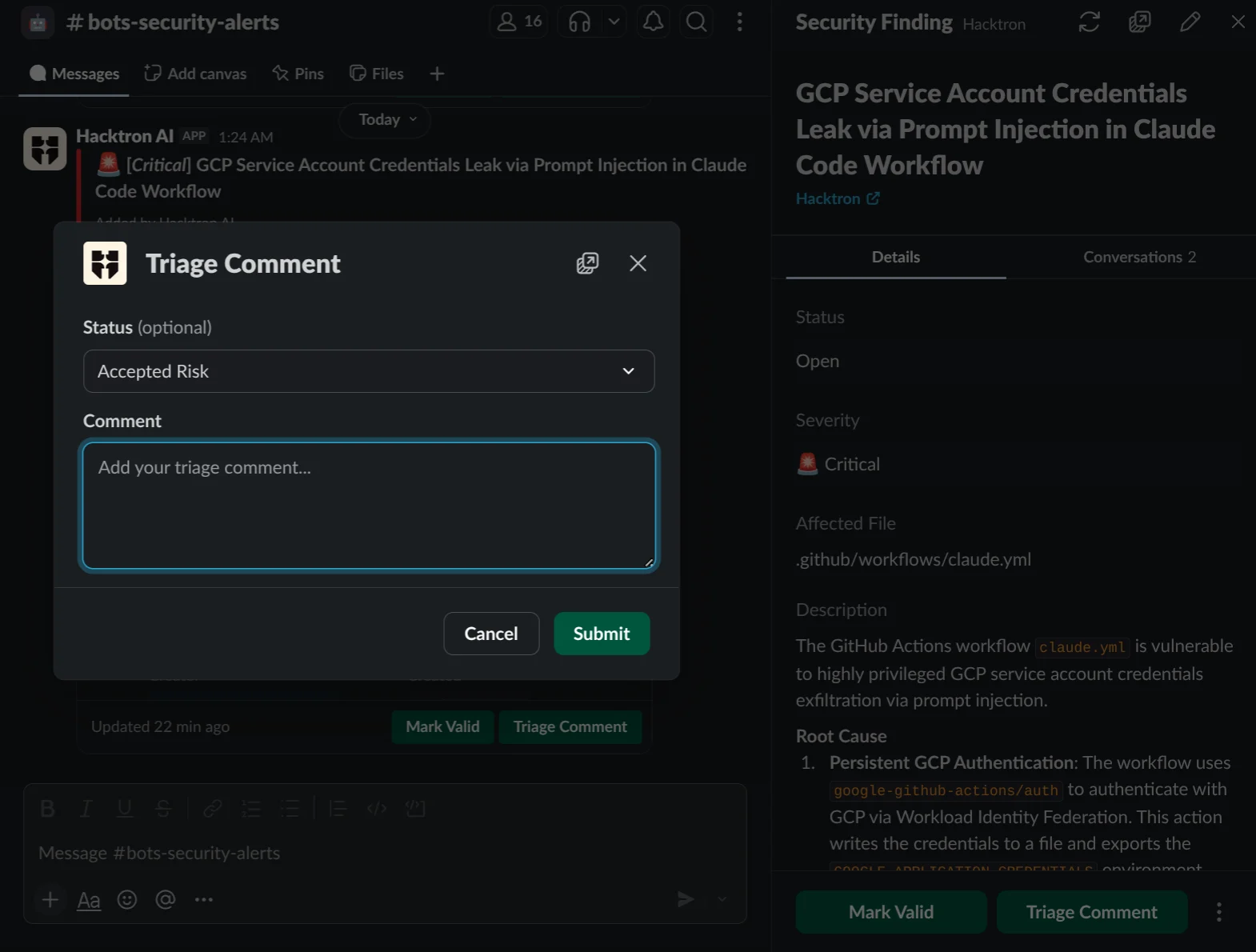
Link your Slack identity
To perform actions on findings directly from Slack and for Hacktron to tag you on Slack, you need to link your Slack identity to your Hacktron account so that Hacktron can recognize you on Slack.1
Open Account page
Click on your organization name in the top left corner and go to
Account.
2
Connect Slack
Scroll down to Connected Accounts and click on Connect next to
Slack.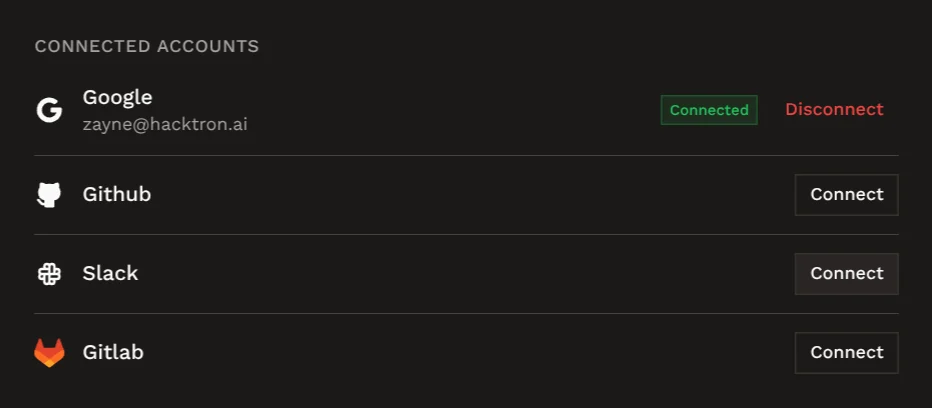
3
Authorize Hacktron
Sign in to Slack and approve the requested access.
4
Return to Hacktron
After authorization, Hacktron redirects you back to Account.
Findings and feedback
Understand how feedback you give Hacktron improves future reviews.