

- What can someone do in the Platform?
- What does the organization pay for?
- Roles control access in the Platform
- Seats control paid product access
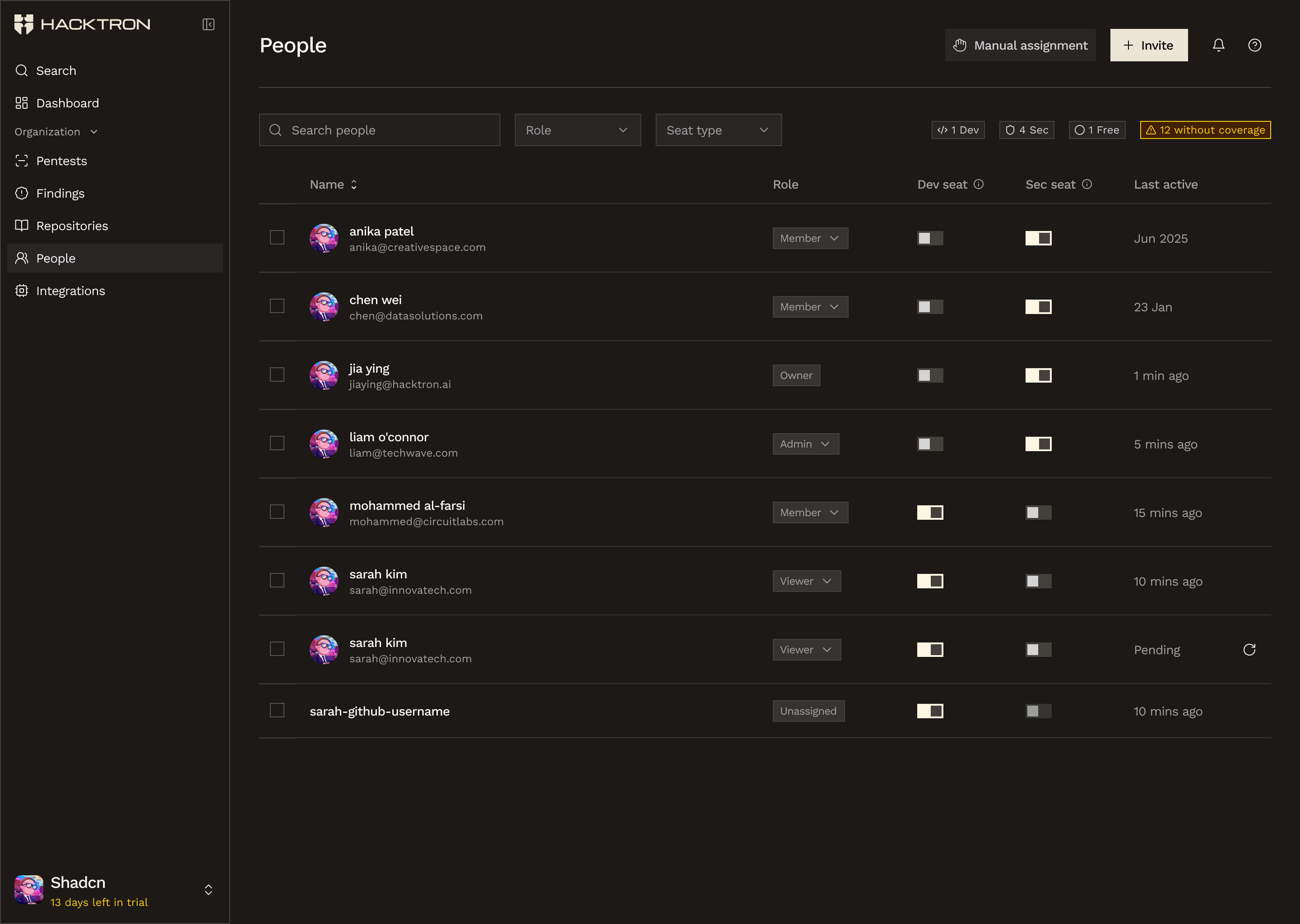
Use People to manage who is in the organization and what access each person has.
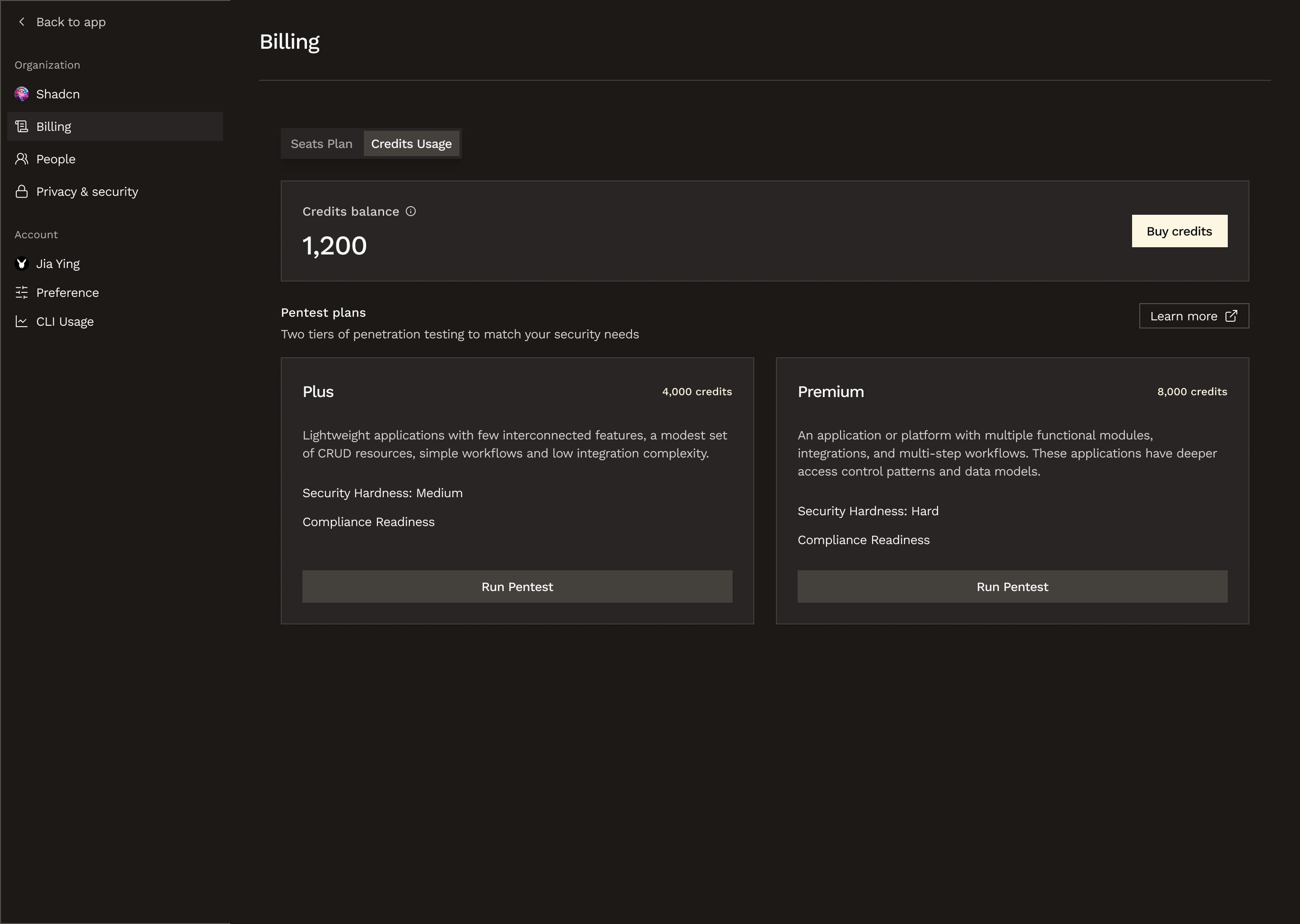
Use Billing to manage shared budgets, seats, and credits for your organization.
Roles
Roles control what someone can do in the Platform.| Role | Access |
|---|---|
| Unassigned | No Platform access. Used for people who exist in the organization but have not been given a Platform role yet |
| Viewer | Read-only access to the organization, members, resources, and results |
| Member | Can work with scans and findings |
| Admin | Can manage members, seats, invitations, integrations, and org settings |
| Owner | Can manage billing, payment methods, ownership changes, org deletion, and pentest starts |
Seats
Seats are separate from roles.- A Dev seat covers pull request reviews.
Example scenarios
Invited by email first
State 1: invited, before sign-in
| State | Value |
|---|---|
john@hacktron.ai | |
| Role | Unassigned |
| Dev seat | Yes |
State 2: signed in with GitHub, still no role
| State | Value |
|---|---|
| Sign-in status | Signed in with GitHub |
john@hacktron.ai | |
| Role | Unassigned |
| Dev seat | Yes |
State 3: role assigned
| State | Value |
|---|---|
john@hacktron.ai | |
| Role | Viewer |
| Dev seat | Yes |
Existing GitHub developer
State 1: discovered from GitHub activity
| State | Value |
|---|---|
| Source | GitHub PR activity |
- | |
| Role | Unassigned |
| Dev seat | Yes |
State 2: signed in with GitHub, still no role
| State | Value |
|---|---|
| Sign-in status | Signed in with GitHub |
john@hacktron.ai | |
| Role | Unassigned |
| Dev seat | Yes |
State 3: role assigned
| State | Value |
|---|---|
john@hacktron.ai | |
| Role | Viewer |
| Dev seat | Yes |
Billing
The Billing page is split into:- Seats plan
- Pentest credits
- Dev seats affect code review billing
- Pentest credits are shared across the organization
- Roles do not create charges by themselves
Trial
The code review trial lasts 14 days. It starts when any organization owner adds payment information from the Billing page and chooses to start the trial. During the trial:- Dev seats auto-assign as PR activity comes in
- There is no hard seat cap, but usage is limited to 200 PRs per seat
Seat changes
If a seat is removed:- The seat becomes unassigned right away
- That seat can be reused by someone else during the current billing cycle
- The organization is still billed for the peak seats used in that cycle
- If the seat is not reused, it drops out of the next billing cycle
Billing permissions
Billing actions are split by role:- Viewer+ can view subscription details and credit balances
- Admin+ can access the seats tab and apply coupon codes
- Owner configures payment methods, cancels or reactivates subscriptions, purchases pentest credits, and starts pentests
Pentest access
Pentests use shared org-wide credits, and starting a pentest is currently limited to organization owners. If there are not enough pentest credits available, anyone who is not an owner is prompted to ask an owner to top up credits. Owners can go directly to checkout for the difference.Code Reviews
Learn how code reviews get set up and where seats matter.
Pentests
Learn how pentest credits and permissions work.