

Export findings
1
Choose the findings
From the scan, click View findings to open the Findings page filtered
to that scan. Narrow the list with search or filters such as severity,
status, or repository.Select checkboxes to export individual findings. Leave them unselected to
export matching findings across all pages.
2
Choose a format
Click Export, or Export N selected if you selected rows, then choose: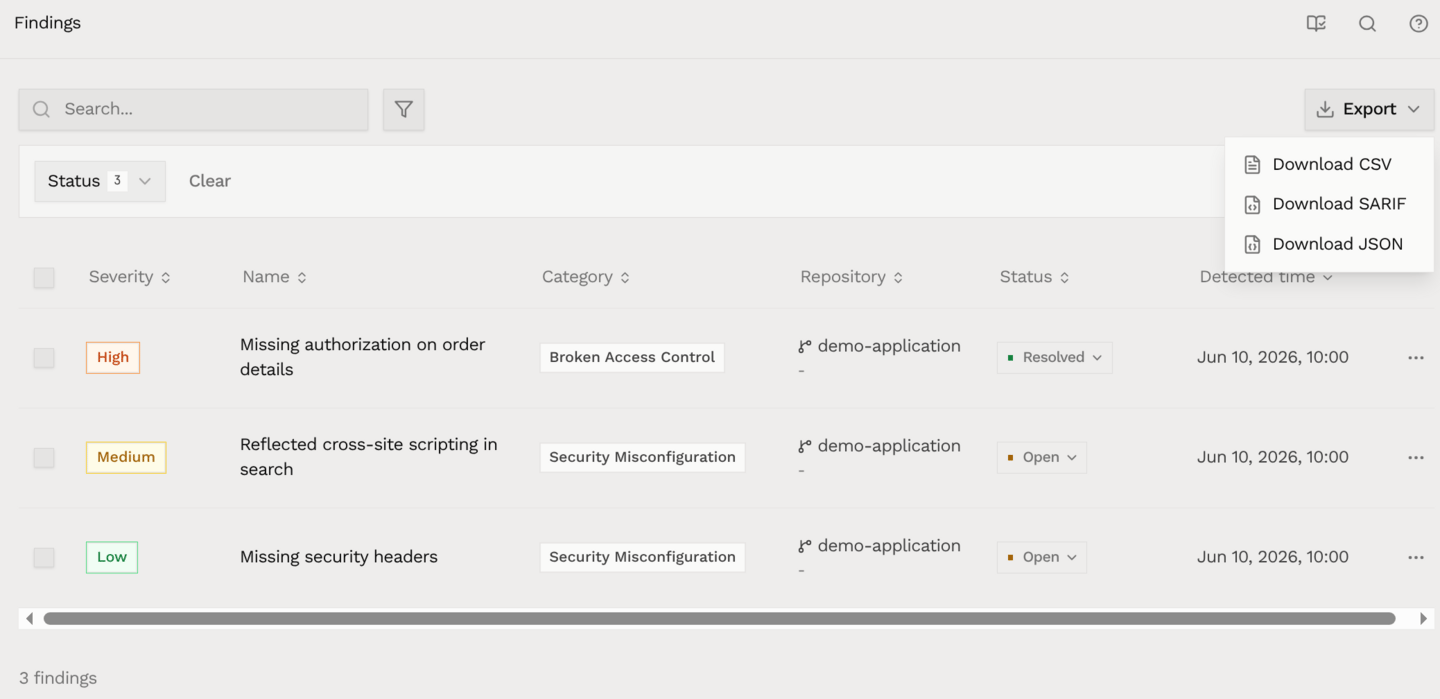
- Download CSV for spreadsheets
- Download SARIF for tools that accept SARIF security results
- Download JSON for structured finding data
Download a report
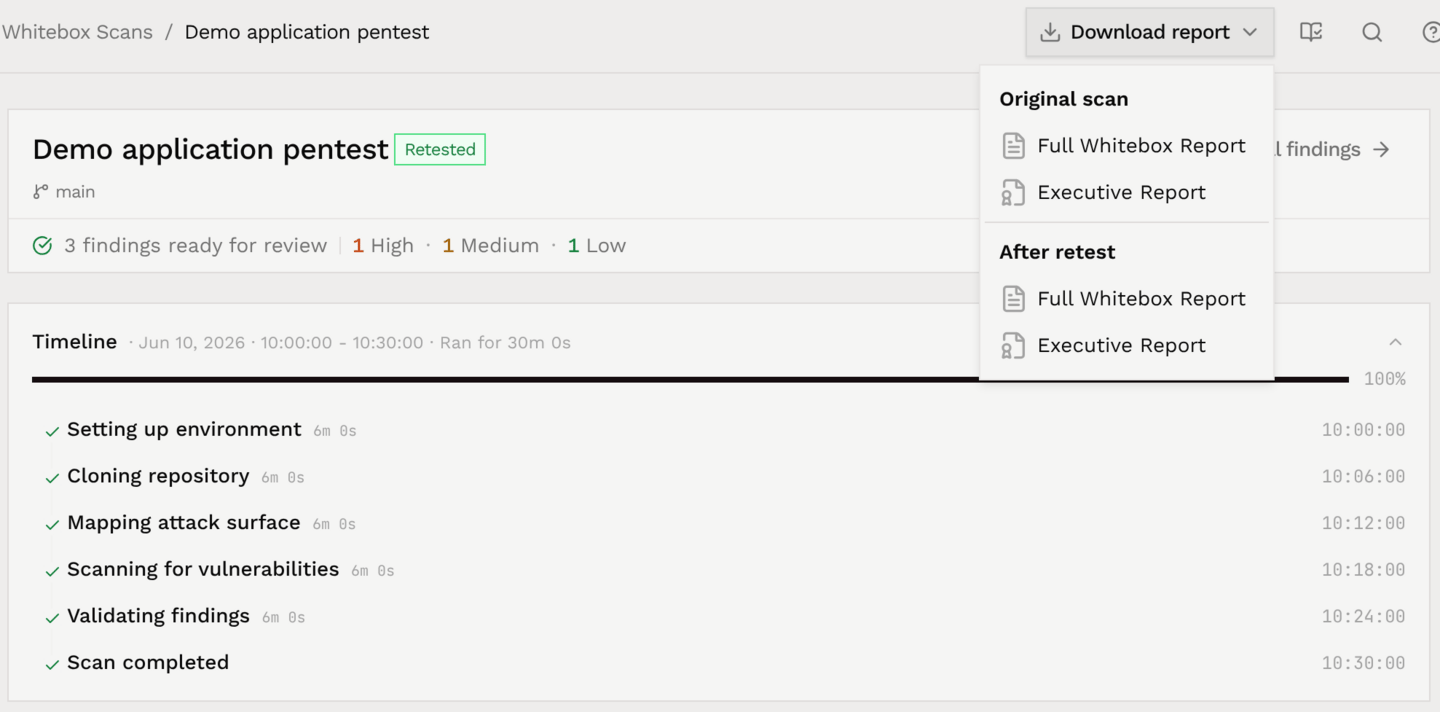
On the scan page, open Download report and choose:- Full Whitebox Report for the detailed assessment and findings, including technical evidence and recommendations
- Executive Report for a shorter report with the risk assessment, key findings, and next steps
Example report
The Full Whitebox Report’s contents page links to each section and finding. This example uses sample data.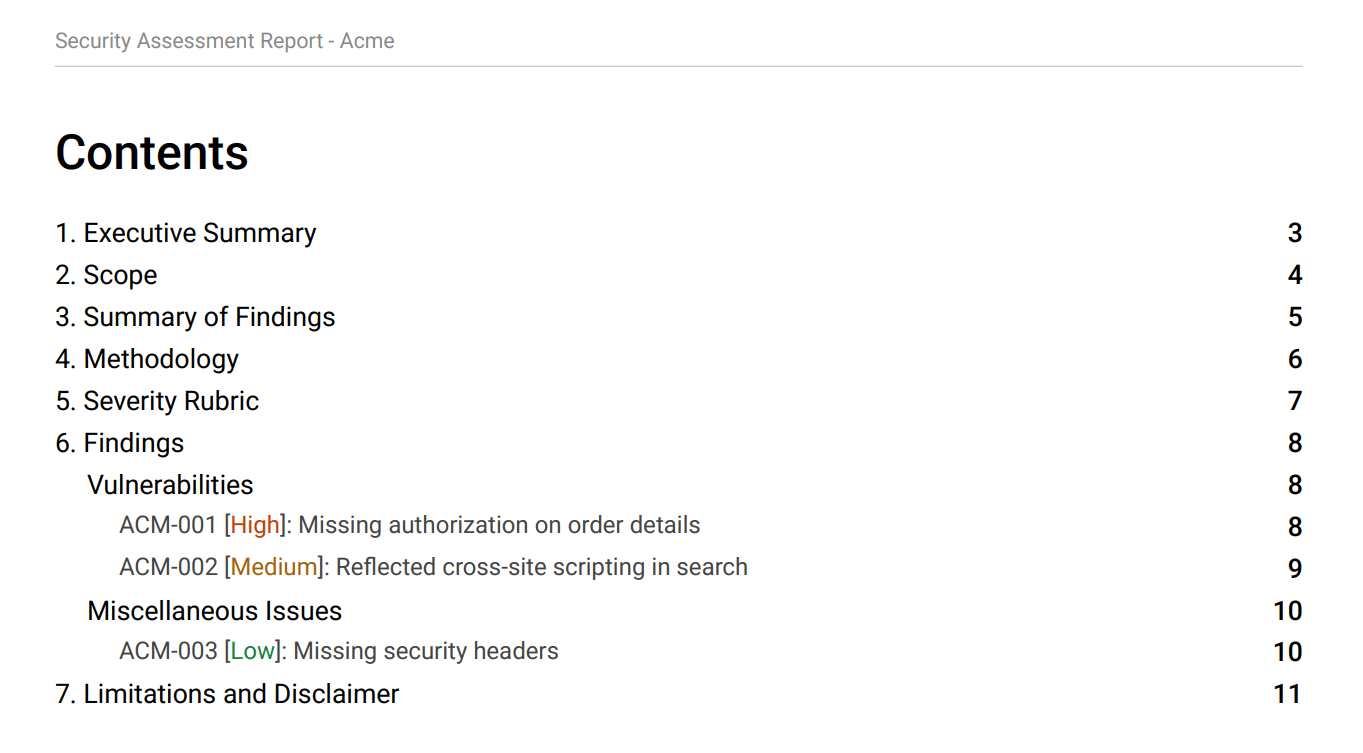
Reports after a retest
After Hacktron completes a retest, Download report has two groups:- Original scan: the report as delivered before the retest
- After retest: the updated report with verification results
Some older scans do not have a saved original report or executive summary. If
the original is unavailable, download the After retest edition instead.