> ## Documentation Index
> Fetch the complete documentation index at: https://docs.hacktron.ai/llms.txt
> Use this file to discover all available pages before exploring further.
# Organization settings
> Configure scan filters, the check gate, and SLA thresholds for your organization.
Organization settings apply to every repository unless a repository's `.hacktron/config.yaml` overrides them. Only organization admins and owners can change these settings.
Select your organization, then go to **Settings**.
## Scan filters
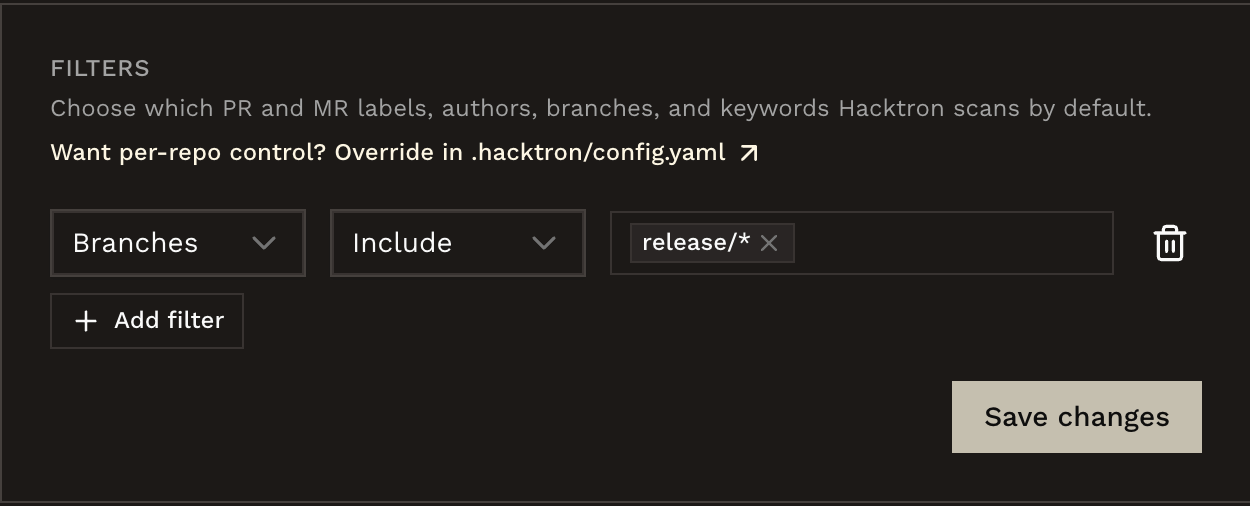
Choose which pull and merge requests Hacktron scans by default, across four categories: branches, labels, authors, and keywords.
Locate **Filters**.
Select **Add filter**. Choose a category and a direction, then enter one or more values.
 | Category | Match style |
| -------- | ------------------------------------------------- |
| Branches | Glob pattern, case-insensitive (e.g. `release/*`) |
| Labels | Exact name, case-insensitive |
| Authors | Exact username, case-insensitive |
| Keywords | Substring in the PR/MR title, case-insensitive |
**Include** and **Exclude** can both be set for the same category: Exclude
takes priority within that category. Setting a filter for one category has no
effect on the others.
Want per-repo control? Override any category in `.hacktron/config.yaml`. See [Repository configuration](/code-review/config) for the glob syntax, limits, and how repo config overrides org defaults.
## Check gate
Set an org-wide severity threshold that fails a PR or MR check when a finding meets or exceeds it.
Locate **Severity threshold**.
| Category | Match style |
| -------- | ------------------------------------------------- |
| Branches | Glob pattern, case-insensitive (e.g. `release/*`) |
| Labels | Exact name, case-insensitive |
| Authors | Exact username, case-insensitive |
| Keywords | Substring in the PR/MR title, case-insensitive |
**Include** and **Exclude** can both be set for the same category: Exclude
takes priority within that category. Setting a filter for one category has no
effect on the others.
Want per-repo control? Override any category in `.hacktron/config.yaml`. See [Repository configuration](/code-review/config) for the glob syntax, limits, and how repo config overrides org defaults.
## Check gate
Set an org-wide severity threshold that fails a PR or MR check when a finding meets or exceeds it.
Locate **Severity threshold**.
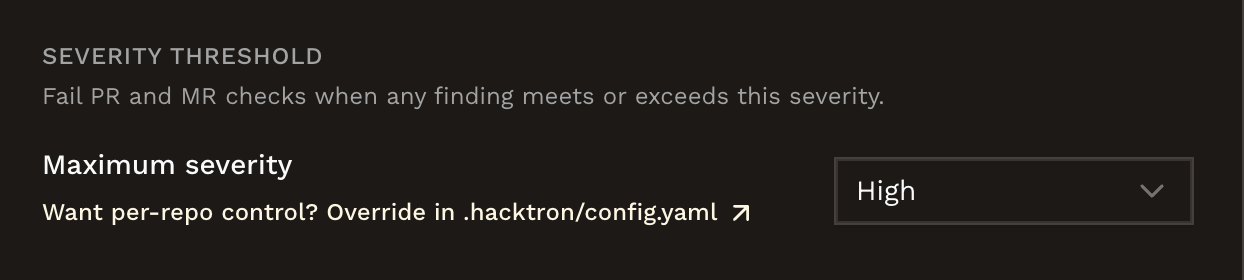 Pick a severity: **Critical**, **High**, **Medium**, or **Low**. Select **Off** to disable the gate org-wide.
See [Fail the check on findings](/code-review/config#fail-the-check-on-findings) for the full severity table and per-repository overrides.
## SLA thresholds
Set the resolution window and minimum compliance target for each severity.
Locate **SLA Thresholds**.
Pick a severity: **Critical**, **High**, **Medium**, or **Low**. Select **Off** to disable the gate org-wide.
See [Fail the check on findings](/code-review/config#fail-the-check-on-findings) for the full severity table and per-repository overrides.
## SLA thresholds
Set the resolution window and minimum compliance target for each severity.
Locate **SLA Thresholds**.
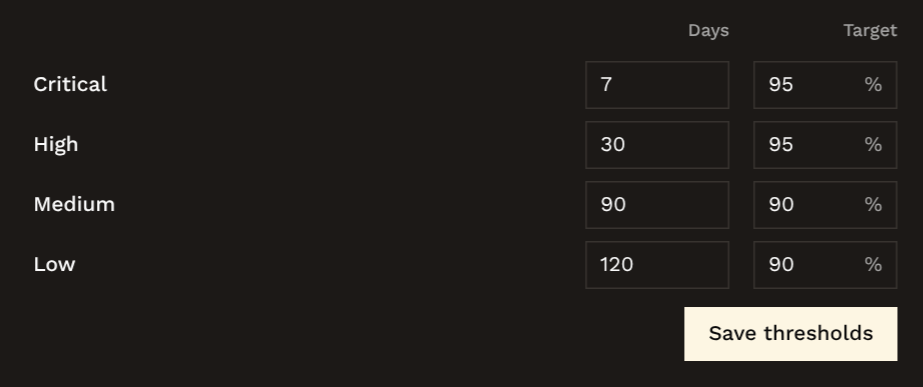 For each severity, set the number of days findings have to be resolved in, and the minimum percentage that should meet it.
These values drive the Resolution Health widget on the [dashboard](/platform/dashboard#resolution-health), including Mean Time to Resolution (MTTR) and SLA compliance.
## Related
Connect a Git provider, enable repositories, and choose covered branches.
Use `.hacktron/config.yaml` to override scan filters and the check gate per
repository.
For each severity, set the number of days findings have to be resolved in, and the minimum percentage that should meet it.
These values drive the Resolution Health widget on the [dashboard](/platform/dashboard#resolution-health), including Mean Time to Resolution (MTTR) and SLA compliance.
## Related
Connect a Git provider, enable repositories, and choose covered branches.
Use `.hacktron/config.yaml` to override scan filters and the check gate per
repository.