> ## Documentation Index
> Fetch the complete documentation index at: https://docs.hacktron.ai/llms.txt
> Use this file to discover all available pages before exploring further.
# Applications
> Group related repositories so Hacktron can reason about them as one product.
An **Application** is a group of related repositories that form one product boundary. For example, a web frontend, backend microservices, and infrastructure repositories that interact with each other as part of the same product.
When you create an application, Hacktron can build a threat model for the whole application, and it can use the threat model to reason about the repositories in that application
when reviewing code or running a pentest.
## Prerequisites
* At least one connected repository.
* You must be an organization admin to create, edit, or delete applications.
## Create an application
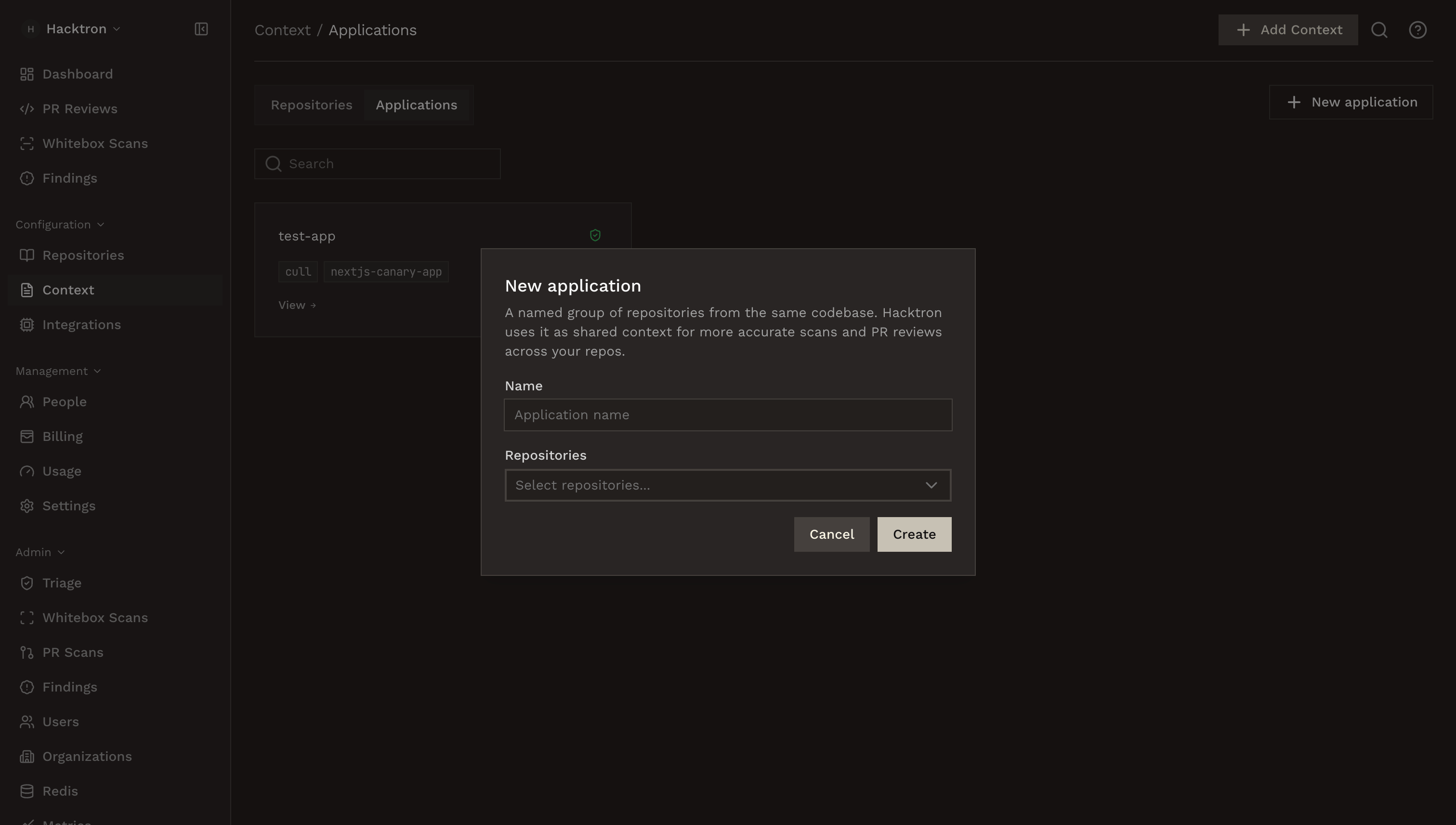
In Hacktron, go to **Context** and select the **Applications** tab.
Click **New application**, enter a name, and select the repositories that belong to the application.
A repository can belong to one application at a time.
 Open the application and click **Add Context** to upload shared product-level documents.
Application documents stay attached to the application.
Repository-specific documents can be [attached to a specific repository](/platform/context/overview#add-a-document).
Click **Generate** to create the application threat model.
Learn how application threat models are generated and refreshed.
Learn how to edit and view the history of application threat models.
## What belongs in an application
Group repositories that form one product boundary or security boundary.
Good examples:
* A web frontend, API server, background worker, and infrastructure repo that ship together.
* Several services that share authentication, authorization, tenant isolation, or sensitive data flows.
* A monorepo split into deployable components that should be reviewed as one application.
Avoid using one application as a catch-all for unrelated products. Broad groupings make the generated context less precise.
## Manage repositories
Open an application from **Context → Applications** to view its member repositories. Use **Edit Application** to rename it or change repository membership.
If you remove a repository from an application, the repository remains connected to Hacktron and can still be managed from **Repositories** and **Context → Repositories**.
To delete the application, select **Edit Application**, then **Delete application**.
## Best practices
Application context is best for information that applies across the application:
* Cross-service trust boundaries.
* Shared authentication or authorization assumptions.
* Tenant or workspace isolation rules.
For details that only apply to one repository, attach the document to that repository instead.
## Next steps
Learn how application threat models are generated and refreshed.
Connect and enable repositories before grouping them into applications.
Open the application and click **Add Context** to upload shared product-level documents.
Application documents stay attached to the application.
Repository-specific documents can be [attached to a specific repository](/platform/context/overview#add-a-document).
Click **Generate** to create the application threat model.
Learn how application threat models are generated and refreshed.
Learn how to edit and view the history of application threat models.
## What belongs in an application
Group repositories that form one product boundary or security boundary.
Good examples:
* A web frontend, API server, background worker, and infrastructure repo that ship together.
* Several services that share authentication, authorization, tenant isolation, or sensitive data flows.
* A monorepo split into deployable components that should be reviewed as one application.
Avoid using one application as a catch-all for unrelated products. Broad groupings make the generated context less precise.
## Manage repositories
Open an application from **Context → Applications** to view its member repositories. Use **Edit Application** to rename it or change repository membership.
If you remove a repository from an application, the repository remains connected to Hacktron and can still be managed from **Repositories** and **Context → Repositories**.
To delete the application, select **Edit Application**, then **Delete application**.
## Best practices
Application context is best for information that applies across the application:
* Cross-service trust boundaries.
* Shared authentication or authorization assumptions.
* Tenant or workspace isolation rules.
For details that only apply to one repository, attach the document to that repository instead.
## Next steps
Learn how application threat models are generated and refreshed.
Connect and enable repositories before grouping them into applications.